
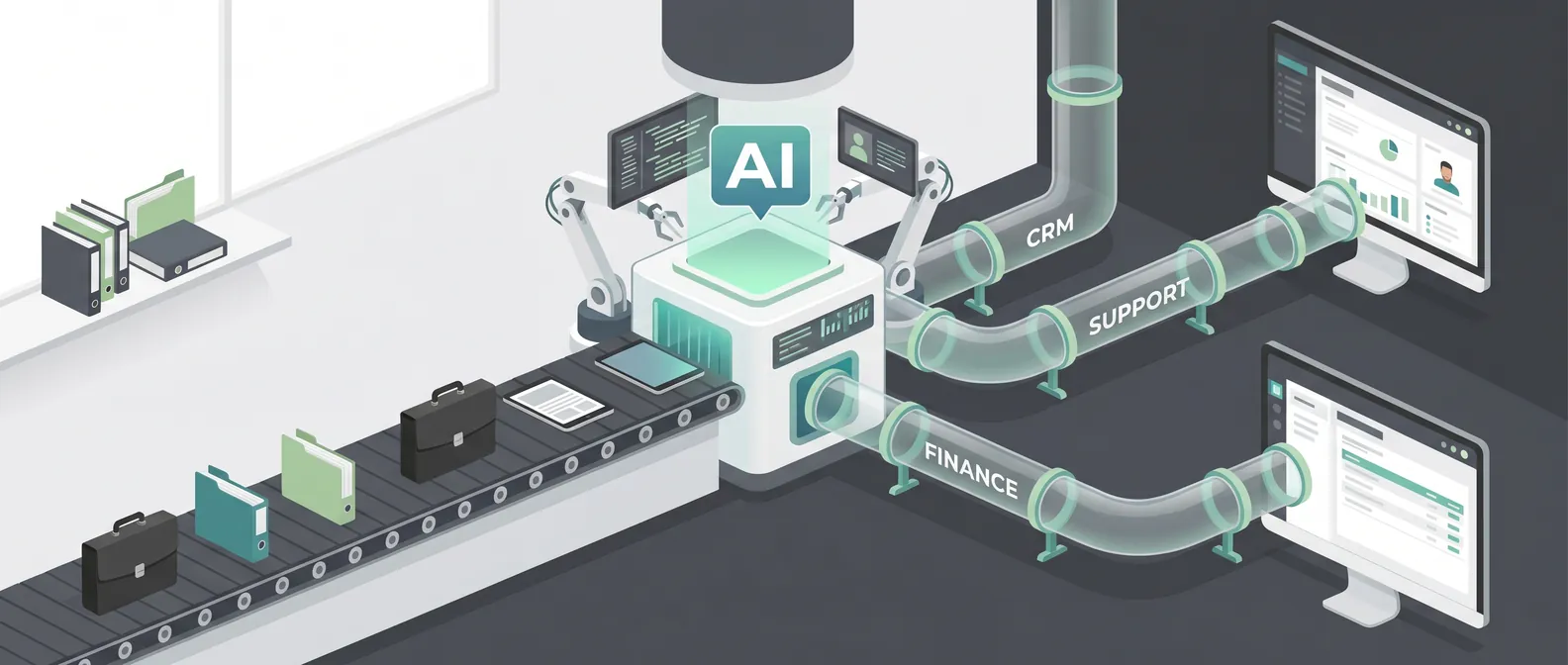
Most founders pick the wrong first AI workflow.
They start with the workflow that sounds most impressive in a demo.
The better choice is usually less glamorous: a queue.
Support tickets. Sales follow-ups. Invoice reviews. Customer onboarding tasks. Bug triage. Internal requests. Anything where work already arrives in a steady stream, waits for review, follows a rough rubric, and ends with an action in a system of record.
That kind of workflow may not look like the future. It looks like Tuesday.
That is exactly why it works.
Why queue-based workflows are easier to automate
If you want to automate a business process with AI, the first question should not be "Which model should we use?"
The first question should be "Where is the queue?"
A queue gives you boundaries. There is a clear input, a set of possible next steps, and a place where the result gets recorded. That structure matters more than most teams realize.
Without a queue, the project tends to sprawl. Someone wants the agent to read emails, update the CRM, summarize calls, draft proposals, check contracts, schedule meetings, and answer customer questions. Maybe all of that is possible later. As a first project, it is too much surface area.
With a queue, the work has a natural shape.
A support ticket comes in. The system classifies it, pulls relevant account context, drafts an answer, flags risk, and routes anything sensitive to a human.
A sales lead arrives. The system researches the account, scores fit against a rubric, drafts a short note, and updates the CRM.
An invoice appears. The system checks fields against purchase orders, highlights exceptions, and creates an approval task.
In each case, the agent is not floating around the business looking for things to do. It is working a known lane.
That is the point.
The hidden benefit: evaluation gets easier
The latest enterprise AI signals all point in the same direction: buyers care less about isolated demos and more about controlled deployment, evaluation, permissions, and observability.
That sounds like enterprise governance language, but the lesson is useful for smaller teams too.
You need to know whether the AI workflow is working before you let it touch more of the business.
Queue-based workflows make that possible because you can evaluate real work items.
Take 100 past support tickets. Give the AI the same inputs your team had. Score whether it classified the issue correctly, found the right policy, drafted a usable answer, and escalated the cases it should not handle.
Take 50 past inbound leads. Score whether the AI identified the right company, applied the qualification rubric, avoided making things up, and produced a useful handoff for sales.
Take 75 past invoice exceptions. Score whether the AI spotted missing fields, mismatched amounts, duplicate vendors, or anything that needed review.
That is much better than asking, "Does the demo look good?"
A good evaluation set should include normal cases, messy cases, missing data, and cases where the right answer is "stop and ask a person." If your AI cannot stop, it is not ready for production.
A simple test for your first workflow
Before you automate anything, answer these questions:
- Does this work already arrive in a queue?
- Can we describe the input clearly?
- Is there a repeatable rubric humans use today?
- Is there a system of record where the result belongs?
- Can we pull 50 to 100 past examples?
- Can a human review the AI's output before anything high-stakes happens?
- Can we measure whether the workflow got faster, cleaner, or cheaper?
If the answer is mostly yes, you have a strong candidate.
If the answer is mostly no, you may still have a real business problem, but it is probably not the right first automation project.
This is where teams get impatient. They want the AI to handle the messy, undefined work because that work is painful. I understand the impulse. But undefined work is hard to automate because nobody has written down what good judgment looks like.
Start where the judgment already exists.
Start where the team says, "We basically do the same review every time, but it takes too long."
That is fertile ground.
What to avoid
Some workflows are tempting because they sound strategic. They are also bad first projects.
"Analyze our business and tell us where AI can help" is too vague.
"Read everything in the company and answer any question" is too broad.
"Act like an autonomous chief of staff" has too many permissions, too many edge cases, and no clear success metric.
"Handle customer communication end to end" might be valuable later, but it usually needs a safer first version with drafts, routing, and human review.
The danger is not that these ideas are impossible. The danger is that they hide the hard parts: data access, permission boundaries, quality checks, escalation paths, and business ownership.
When a first AI project hides those questions, the team spends weeks proving the model can do something interesting and then gets stuck when it is time to ship.
What the first version should actually do
A strong first AI automation project is narrow enough to describe on one page.
For example:
"When a new inbound lead enters HubSpot, research the company, classify the lead against our ICP rubric, draft a suggested first reply, and create a task for sales if the score is high enough. Do not send messages automatically. Escalate if company data is missing or the request involves a custom partnership."
That is a real workflow.
It has an input. It has a rubric. It has approved actions. It has stop rules. It has a system of record. It has a human handoff.
You can build that. You can test it. You can measure it.
You can also improve it later. Maybe the AI starts by drafting only. Then it classifies and creates tasks. Then it handles low-risk follow-ups. Then it recommends pipeline changes. Autonomy expands after trust is earned.
That sequencing matters.
AI automation works best when the first version earns permission to become the second version.
The operating model still matters
Even a narrow workflow needs rules.
Before launch, decide:
- Who owns the workflow?
- What systems can the AI read?
- What systems can it write to?
- What actions require approval?
- What gets logged?
- What counts as success?
- What forces escalation?
- Who can pause the workflow?
This does not need to become a 40-page governance document. For most early-stage teams, a one-page operating model is enough.
The goal is plain operational clarity. If something goes wrong, the team should know what happened, what changed, who reviewed it, and how to stop it from happening again.
That is the difference between an AI demo and an AI workflow.
Pick the workflow, then pick the tool
Vendor choice matters, but it is rarely the first bottleneck.
The first bottleneck is choosing a workflow with clear inputs, repeatable judgment, measurable outcomes, and a safe path to production.
Once you have that, tool selection gets easier. You know what systems need to be connected. You know what permissions are required. You know what needs to be evaluated. You know where humans fit.
If you skip that step, every platform will look both promising and incomplete.
So before you ask which model, framework, or agent platform to use, ask a more useful question:
Where is the queue?
Find that, and you have the beginning of a production AI automation project.
If you are trying to choose the first workflow to automate with AI and want a practical second opinion, book a discovery call: https://calendly.com/martintechlabs/discovery
FAQ
What is the best first business process to automate with AI?
The best first process usually has a clear queue, repeatable human judgment, past examples for evaluation, and a system of record where the result belongs. Support triage, lead qualification, invoice review, onboarding tasks, and internal request routing are often strong candidates.
Why are queue-based workflows good for AI automation?
Queues create clear boundaries. They define the input, expected next steps, review points, and success metrics. That makes the AI system easier to build, test, monitor, and improve after launch.
Should an AI agent act autonomously in the first version?
Usually no. A safer first version should draft, classify, summarize, route, or create internal tasks while a human reviews high-stakes actions. Autonomy can expand after the workflow proves reliable.
How do you evaluate an AI automation workflow before launch?
Use past examples from the workflow. Include normal cases, edge cases, missing data, and examples where the AI should escalate. Score whether it used the right information, followed the rubric, avoided restricted actions, and improved the workflow outcome.