
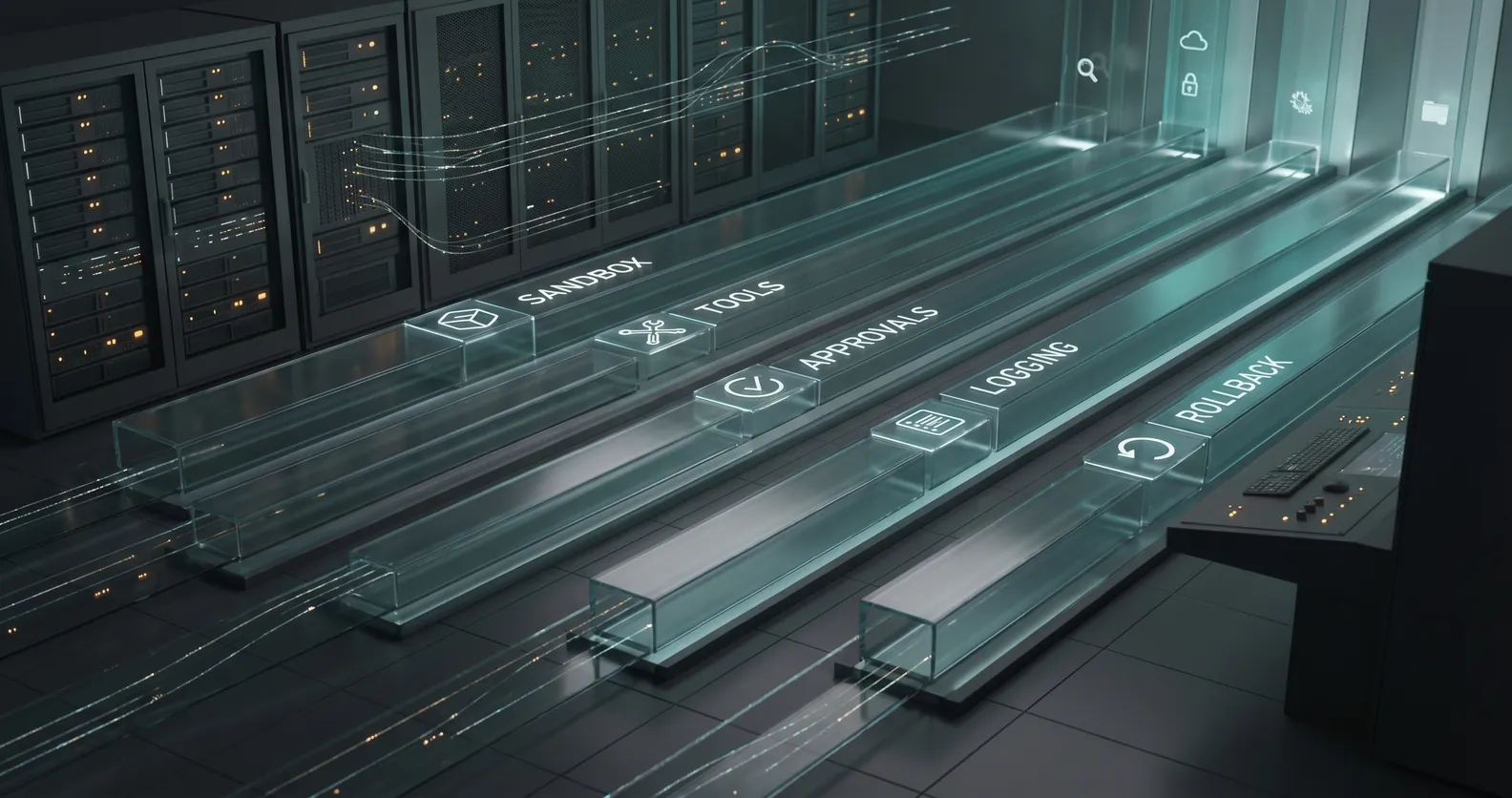
Most AI agent projects spend too much time on the brain and not enough time on the body.
Teams ask which model to use, which framework is hot, and how much autonomy the agent can handle. Those questions matter eventually. They are not the first production question.
The first production question is simpler:
Where does the agent run?
That sounds like an infrastructure detail. It is not. Runtime is where the agent receives data, calls tools, stores traces, handles errors, pauses for review, and proves what it did. If you get that wrong, the agent may still demo well, but the business will not trust it with real work.
The market is moving this way fast. OpenAI's recent enterprise update talks about agents connected to company context, internal systems, permissions, and controls. Its Cloudflare Agent Cloud announcement points in the same direction: agent deployment is becoming a production infrastructure problem, not just a prompt engineering exercise. The Agents SDK update goes even further, with controlled workspaces, file access, tool use, and sandboxed execution for longer-running tasks.
That is the right direction.
If an agent can inspect files, call tools, and change systems, it needs a runtime plan before it gets anywhere near production.
A runtime plan is not a hosting choice
When I say runtime plan, I do not mean "AWS or Vercel?" or "Do we run this in the vendor's cloud?"
Those are implementation choices. A runtime plan answers the operating questions around the agent:
- What environment does it run in?
- What data can it access?
- What tools can it call?
- What actions can it take without approval?
- Where do logs and traces live?
- How do humans review risky steps?
- How is the agent paused, rolled back, or disabled?
- What happens when a tool fails?
That list is boring. Good.
Boring is what keeps the first production version from becoming an incident.
An AI agent that drafts a support reply is one thing. An agent that can update a customer record, trigger a refund workflow, change permissions, or create tasks in a system of record is different. It is now part of your operating system as a company.
That agent needs boundaries.
Start in a sandbox
OpenAI's Agents SDK update is useful because it normalizes a pattern serious teams already need: controlled workspaces.
Before an agent touches live systems, give it a sandbox.
That sandbox should include representative files, realistic but safe records, fake credentials, and a narrow list of tools. The goal is not to make the demo look impressive. The goal is to watch the agent work under conditions that look enough like production to reveal problems early.
For example, if you are building an agent to triage customer onboarding requests, do not test it on three clean examples written by the product team.
Test it on messy onboarding tickets. Include missing fields, duplicate accounts, conflicting notes, impatient customers, outdated policies, and cases where the agent should stop.
Then look at the run:
- Did it use the right records?
- Did it call the right tools?
- Did it ignore data it should not touch?
- Did it escalate the risky cases?
- Did it leave a readable trace?
That last point matters more than teams expect. If you cannot reconstruct what happened, you do not have automation. You have a mystery process.
Treat tools like permissions, not conveniences
A common mistake in early agent builds is giving the agent broad tools because it makes the prototype easier.
"Let it access the CRM."
"Let it use Slack."
"Let it update tickets."
That language is too loose. Production permissions should be written as verbs.
Can the agent read account status? Can it write notes? Can it change lifecycle stage? Can it assign an owner? Can it send a message? Can it delete, approve, refund, invite, schedule, or publish?
Different verbs carry different risk.
Reading a customer profile is not the same as changing it. Drafting a message is not the same as sending it. Creating an internal task is not the same as making a customer commitment.
The runtime should enforce those differences. The first version might be allowed to read records, classify a request, draft the next step, and create an internal task. It might be blocked from sending customer-facing messages or changing revenue-impacting fields without approval.
That is not timid. That is how you earn trust.
Make the trace useful to humans
Agent observability can become a very technical conversation, but the basic requirement is plain.
A business owner should be able to answer:
- What did the agent receive?
- What sources did it inspect?
- What tools did it call?
- What did it decide?
- What did it change?
- Why did it escalate or continue?
- Who approved the final action?
Anthropic's recent work on trustworthy agents is helpful here because it frames agents as systems that plan, act, observe, and adjust while using tools. That means trust has to cover the whole loop, not just the final answer.
For a founder or operator, the question is not "Was the answer fluent?"
The question is "Can I tell what happened?"
Start with a readable timeline for each run. Capture the input, tool calls, selected records, proposed action, final output, escalation reason, human review, and outcome. You can add deeper tracing later, but the first version should already make the work inspectable.
This is also where the roadmap gets sharper. Review the traces weekly and you will see where the agent hesitates, where humans keep correcting it, where your data is weak, and where the workflow itself is poorly defined.
That is useful signal.
Define failure before launch
Every production agent needs a failure plan.
Not a theoretical one. A practical one.
What happens if the CRM API is down? What happens if the agent sees conflicting data across systems? What happens if a customer asks for something outside policy? What happens if the model output looks plausible but misses a critical field?
Write those cases down before launch.
For most first versions, the right answer is simple: stop, log the reason, and route the work to a human with context.
That may feel less autonomous than the original vision. Fine. The goal of the first production version is not maximum autonomy. The goal is reliable movement through a real workflow.
Autonomy can expand after the system earns it.
Runtime decisions shape the product
The runtime plan affects the product you can safely build.
If the agent has no sandbox, you will avoid testing it on realistic edge cases.
If it has broad tool access, you will spend more time worrying about damage than learning from real use.
If it has weak logs, you will not know whether failures came from bad data, bad prompts, missing context, tool errors, or unclear policy.
If it has no approval path, you will either keep it in demo mode or let it make changes the business cannot defend.
None of this is glamorous. It is the work that makes AI useful after the demo ends.
A one-page runtime plan
You do not need a giant architecture document to start. For a first production agent, a one-page runtime plan is usually enough.
Answer these questions:
- What workflow does the agent run?
- Where does it run in development, staging, and production?
- What systems can it read?
- What systems can it write to?
- What tools are available in each environment?
- Which actions require human approval?
- What data is excluded?
- What gets logged for every run?
- Where are traces stored and who can review them?
- What failures force escalation?
- Who can pause the agent?
- How are bad actions reversed or corrected?
If the team cannot answer those questions, the agent is not ready for production.
If the team can answer them, engineering gets much easier. The architecture has boundaries. The tests have purpose. The business knows where humans stay in the loop.
That is the point.
An AI agent is not just a model with tools. It is software operating inside your company.
Give it a runtime plan before you give it more power.
If you want a faster pass on those controls before you book a real review, use the vibe-coded app production readiness checklist + fix prompts. It is designed to flag the missing boundaries that usually show up first.
If you are trying to move an AI agent from demo to production and want a practical second opinion, book a discovery call: https://calendly.com/martintechlabs/discovery
Sources
- OpenAI: The next phase of enterprise AI
- OpenAI and Cloudflare: Agent Cloud
- OpenAI: The next evolution of the Agents SDK
- Anthropic: Building trustworthy agents
FAQ
What is an AI agent runtime plan?
An AI agent runtime plan defines where the agent runs, what systems it can access, what tools it can call, how actions are logged, when humans review work, and how the agent is paused or rolled back.
Why do AI agents need a sandbox before production?
A sandbox lets the team test the agent on realistic work without giving it live system access. It helps reveal data gaps, risky tool calls, weak stop rules, and missing escalation paths before customers or operations teams are affected.
What should an AI agent be allowed to do first?
Most first production agents should start with narrow permissions: read approved records, classify work, draft outputs, create internal tasks, and escalate exceptions. Higher-risk actions should require human approval until the workflow proves reliable.
How do you know whether an AI agent is production-ready?
An AI agent is production-ready when it can handle real workflow examples, respect permissions, escalate risky cases, leave readable traces, recover from tool failures, and improve the workflow without creating extra cleanup work.